I made a Kotlin UDL for Notepad++
I was going to call this “I vibed a Kotlin UDL for Notepad++” but increasingly often as always, the outcome of trying to vibe something is that you have to debug it, which means getting in up to your elbows to learn the thing you were trying to offload in the first place. Is Agentic AI just here to trick us into expanding our horizons? Clever move, Anthropic*.
*I was using GitHub CoPilot CLI… It initially selected a GPT. I later forced it to Claude to do some refactors because I have a better time with Claude generally.
Problems
Types like List and String weren’t highlighting.
I couldn’t prompt my way out of this. The LLMs couldn’t figure it out.
Eventually my key debug technique was the minimal reproducible example… or, progressively deleting things from the UDL file until the highlighting started working.
I also made a trivial “fruits” UDL to sanity check the highlighting system first
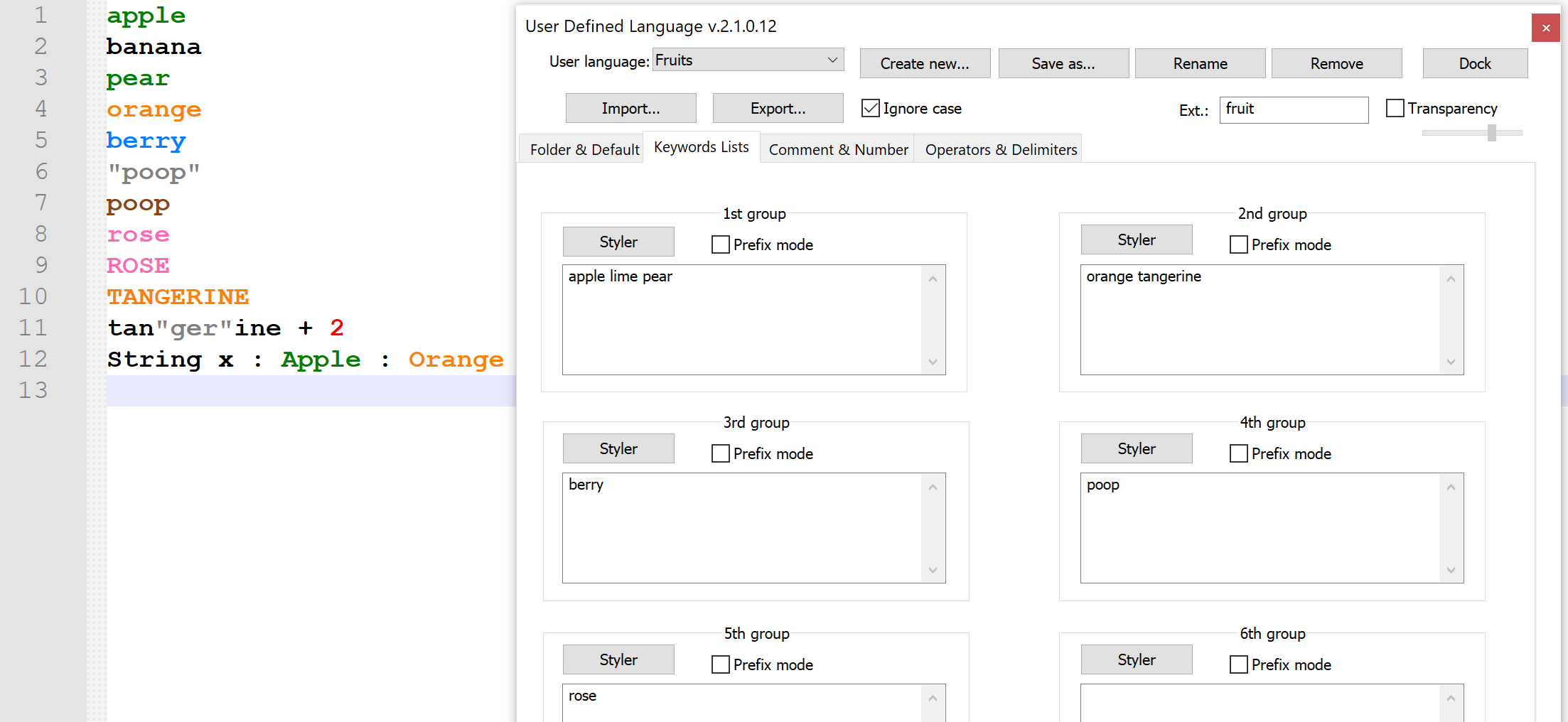
This turned out to be because GPT put is and in into the list of operators.
Operators are coloured with the default colour.
And they take precedence because if they appear in the middle of a clause, like a=b, that has obviously split up a from b.
Unfortunately, this meant that List was parsed as L is t so it couldn’t highlight List.
Solved it by removing the errant operators!
Duplicated keywords
The LLM also duplicated lots of keywords across the Keywords2 and Keywords3 group. This didn’t have any negative effects but it was messy and wasteful. Claude was able to refactor and clean up the mess made by its colleague with some tactical prompting.
Adding a dark mode
Notepad++ UDLs are limited in how they (don’t) link to the current theme. You have to make a light and a dark mode UDL. The UDL can’t extend or use the theme colours - you can only set static hex values - and these aren’t transformed when you change to another theme.
For a dark theme version, I went with Monokai because it’s easy to find the theme colours and the scheme is attractive (imo) and flexible.
Background: #272822
Foreground: #F8F8F2
Comment: #75715E
Keyword: #F92672
String: #E6DB74
Function: #A6E22E
Variable: #66D9EF
Number: #AE81FF
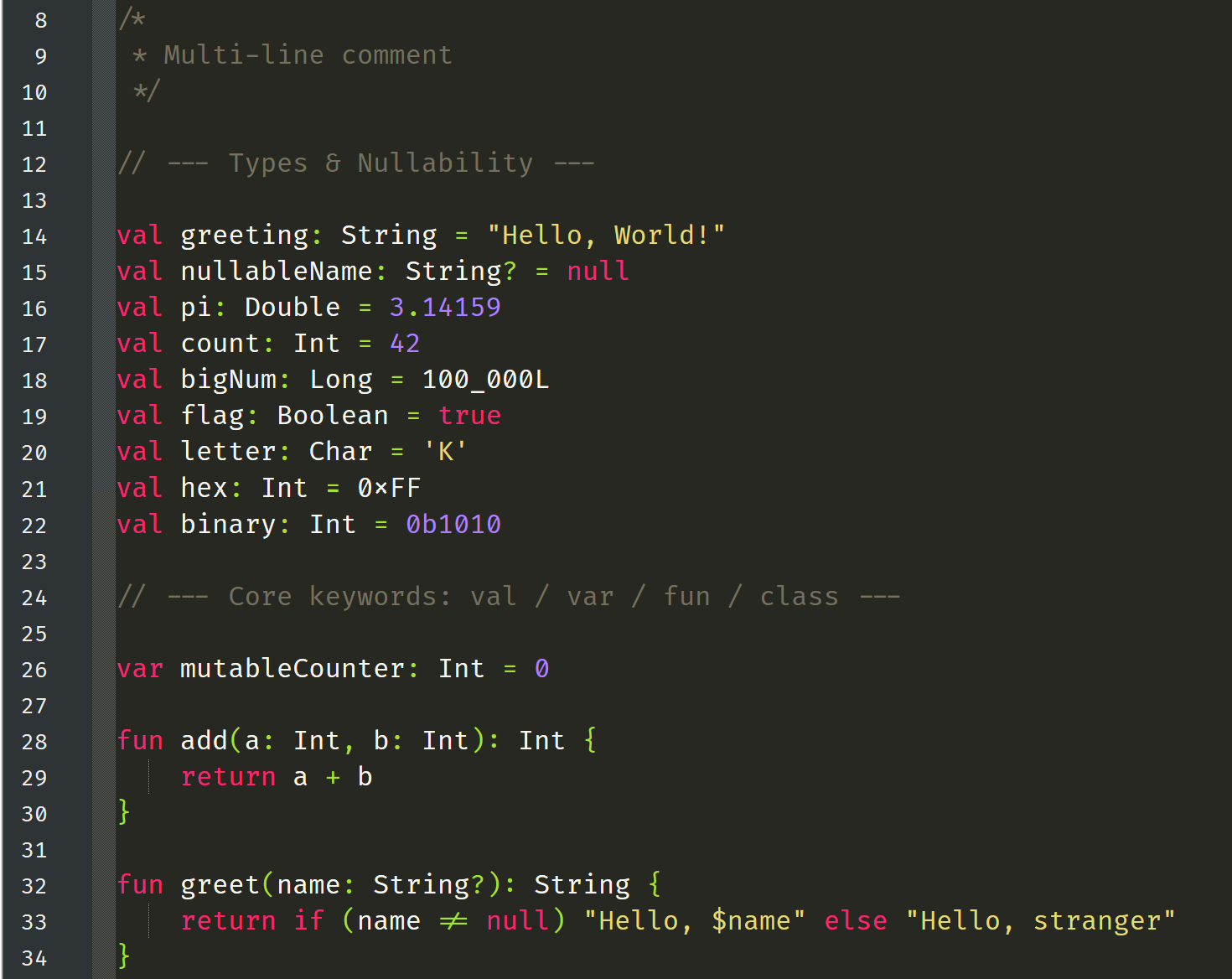
I did this by hand bc I do get tired of correcting the AIs and it feels less tiring in the end to just do it yourself. I take this as a good thing.
Publishing
This is only in its own repo for now. When I find time I’d like to contribute it to the official notepad-plus-plus/userDefinedLanguages repo.
Why
Readers with knowledge of Kotlin may think it’s stupid and wrong to write it in Notepad++ at all. I should use IDEA or Eclipse. Well… I don’t care! 💝
Thanks for reading my blog on the web.
Keep it real 🎇